MicroLinux was a small (14MB) Linux distribution I created in 1998, as an easy way for people in Croatia to try out Linux without installing it.
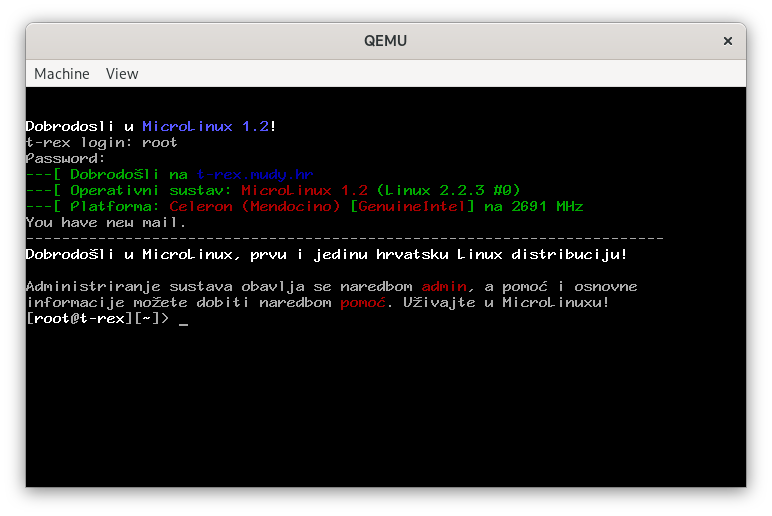
This was way before Live CD's — many people in Croatia didn't have a CD-ROM drive in the first place! And definitely not enough RAM for a usable live experience.
MicroLinux would install in a C:\LINUX directory on your
(DOS/Windows) machine and could be run from 16-bit DOS. It used the
LOADLIN boot loader
that replaces DOS with Linux kernel in RAM and switches to 32-bit mode.
:: Software
MicroLinux 1.2 was a bare-bones but usable system: you could connect to the internet (via a local network or dial-up), browse the web with Lynx, read and write mail with Mutt and connect to the Usenet (a precursor for today's social media and forums) using slrn.
The distro was based on Slackware and included such venerable software as Linux kernel 2.2 (current, as of time of this writing, is 7.0) and Bash 1.14 (current is 5.3).
To save space, the compiler (gcc 2.7 — current is 15.2), Perl scripting language (now all but forgotten), the X Window System (XFree86 — Xorg wasn't a thing yet) and the Netscape browser (version 4.x).
The distro also included a Croatian-language guide to Linux in general and to MicroLinux in particular, and simple setup and configuration wizards, also in Croatian.
The idea was to provide a gentler path for people curious about Linux to try it out.
:: Downloads
- micro.exe (8.3 MB)
- MicroLinux 1.2 installer (self-extracting RAR)
- gcc.mlx (7.4 MB)
- GCC 2.7
- perl.mlx (2.4 MB)
- Perl 5.0
- kernel35.mlx (738 KB)
- Linux kernel v3.5, supporting newer hardware
- xwin.mlx (5 MB)
- XFree86 X Window System server, v3.3
- netscape.mlx (16MB)
- Netscape Navigator 4
- dos.img.gz (47MB)
- FreeDOS disk image, 200MB when unzipped. MicroLinux is not installed (so you can try the installer), but all the packages are copied to the root of the partition for easy install procedure.
:: How to run
The kernel doesn't support modern hardware, and even if it did, there's no reason to run it on bare metal. If you'd like to take it for a spin, QEMU is the best way to run it.
You'll need a DOS system to install to and boot from.
FreeDOS works great for this. You
can set up your own or use the dos.img I prepared (it'll take
200MB when unzipped).
Run QEMU with:
qemu-system-i386 -hda dos.img -netdev user,id=net0 -device ne2k_pci,netdev=net0 -vga cirrus -audiodev alsa,id=snd0 -device sb16,audiodev=snd0
When the machine boots, choose "Load FreeDOS without drivers - Emergency Mode",
then run MICRO.EXE to start the installer.
Once the installer is done, you can run the system with:
CD C:\LINUX
The first run will do hardware configuration (mouse, soundcard, graphics,
networking). When completed, you can log in
as
LINUX
root with no (empty) password.
Once you're in, type pomoć to run the help system or
admin for settings, config and package install.
:: Demo
Here's a 5-minute video of the install procedure and first steps in Microlinux: